UI / UX Design
redesigning youtube pause history
Redesigned the “Pause History” feature on YouTube to enhance user control,focused on making it easier to find, simplifying the interaction, and adding a more thoughtful, privacy friendly touch.
Year :
2025
Industry :
Tech
Project Duration :
1 week
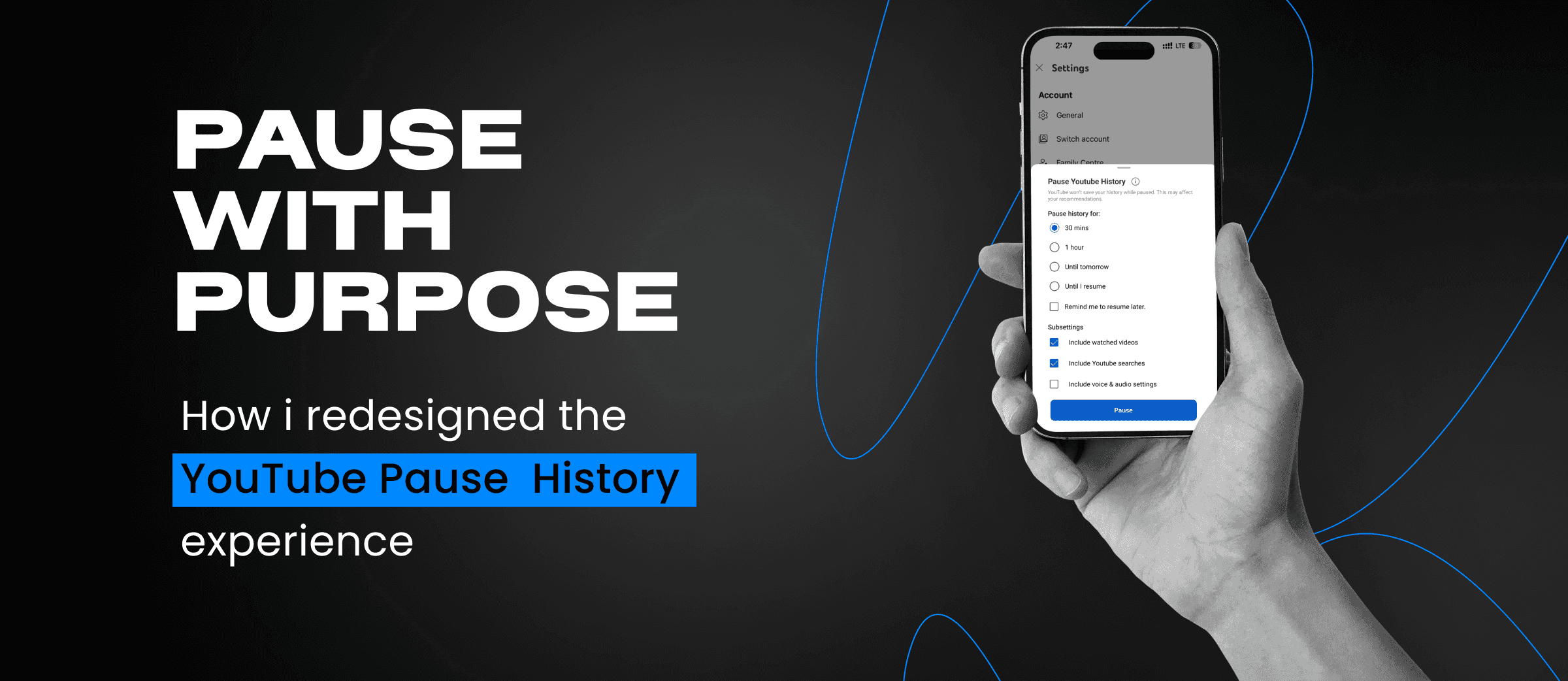
Ever wondered if you could pause your YouTube history… just for a bit?
Most of the time you don’t want to delete their history.You just want a quick break maybe you’re watching something off topic, something personal, or just plain weird.
Now suddenly, your recommendations are a mess.
All you needed was a simple way to pause your watch history not wipe it out completely. But that feature? It’s hidden so deep in the settings that most people never even realize it’s there.
So I took a closer look at this problem and asked:
“What if pausing your watch history felt as easy and natural as watching a video?”
“What if pausing your watch history felt as easy and natural as watching a video?”
Why redesign it?
It all started when I played a few nursery rhymes for my niece and suddenly, my YouTube feed was taken over by kids’ content. So the next time I gave her my phone, I tried pausing my watch history first. But the option was buried so deep in settings that she had already started watching. That’s when I realized how hidden and clunky the feature was. I decided to redesign it to make it easier to find and simpler for anyone to use in seconds.
Research Methods Followed In This Project
Personal Interview
I asked my friends and family who practically live on YouTube. Most had no idea the pause history feature even existed or found it too hidden to bother. That’s when I realized it wasn’t just my problem, it was a common pain point worth fixing.
Contextual Inquiry
I watched a few users use YouTube naturally and asked light questions along the way. One user found it too long and frustrating to return to the homepage after pausing history because of all the steps involved.
Personal Interview
I quietly observed how users browsed YouTube to spot real habits and struggles without interfering. One user, for instance, was watching videos for a friend but had no idea how to pause watch history the option was just too buried. Others paused it once but forgot to turn it back on for days. These moments of friction, confusion, or forgetfulness helped me see exactly what needed to be fixed in the redesign.
What wasn’t working?
These insights came from a questionnaire shared with 15 respondents, aged 15 to 60. The goal was to understand awareness, assumptions, and needs around the "Pause Watch History" feature.
Users couldn’t tell when history was paused
Users couldn’t tell when history was paused
Users couldn’t tell when history was paused
No way to choose how long to pause
No way to choose how long to pause
No way to choose how long to pause
No alert to resume when the time is right
No alert to resume when the time is right
No alert to resume when the time is right
No confirmation after hitting pause
No confirmation after hitting pause
No confirmation after hitting pause

Why redesign it?
Why not just use Ingognito?
When you go Incognito, youre signed out, lose access to personalized recommendations, and can t like, comment, or save videos. But with Pause History, youre still logged in you can continue interacting normally, while simply telling YouTube not to remember what youre watching.
Didn’t know the feature existed
Tried but couldn’t find it easily
Feared it might delete history permanently
Didn’t see any reason to use it
Felt it was too disconnected from the video watching experience
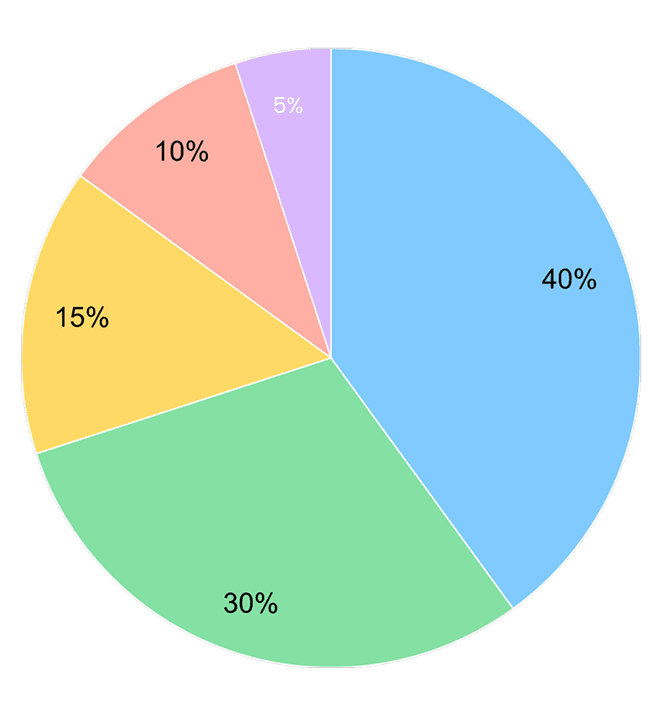
These insights came from a questionnaire shared with 15 respondents, aged 15 to 60. The goal was to understand awareness, assumptions, and needs around the "Pause Watch History" feature.
A staggering 40% of users had never even heard of the feature revealing just how hidden and overlooked it really is.
"I paused my history once, but there was no confirmation. I forgot it was still off and my recommendations got all weird."
"I’ve used YouTube for years and never even knew this feature existed. It’s way too hidden."
"I’ve used YouTube for years and never even knew this feature existed. It’s way too hidden."
Why is something this useful not being used more?
What I found through research was that while YouTube technically does explain the feature, the way it’s presented is easy to overlook. The description sits deep in the settings, where most users don’t even think to look.
Its purpose just isn’t obvious in context. And because it’s not seen as an immediate need, most people ignore it even though it could be genuinely helpful in day to day use. The feature works, sure but it lacks the flexibility and clarity that would make people use it more often.
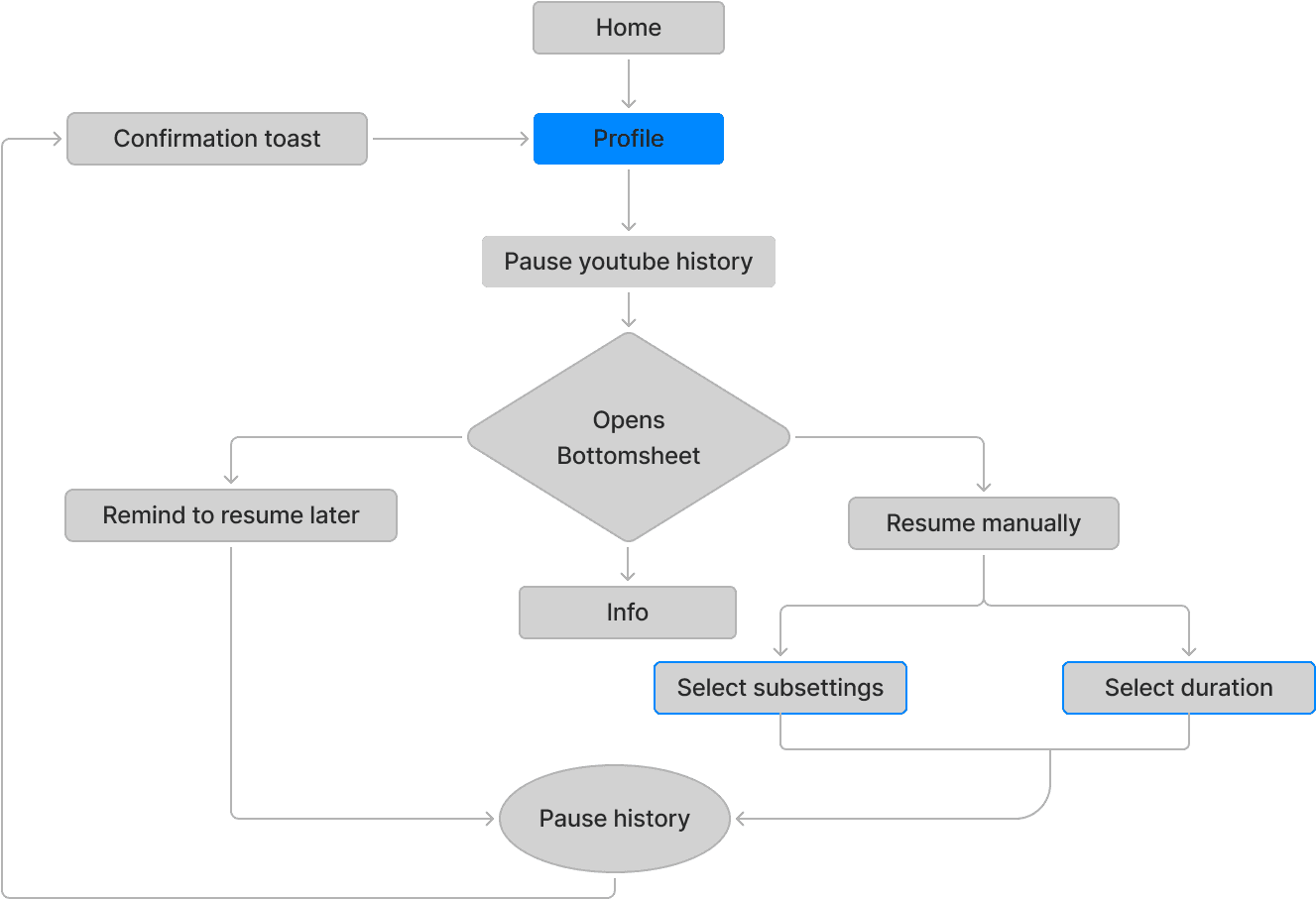
Userflow
This flow highlights how users can pause and resume directly from a visible toggle without diving into deep settings, while still preserving the original control path for those who prefer it.
What i did and why?
No more hide and seek
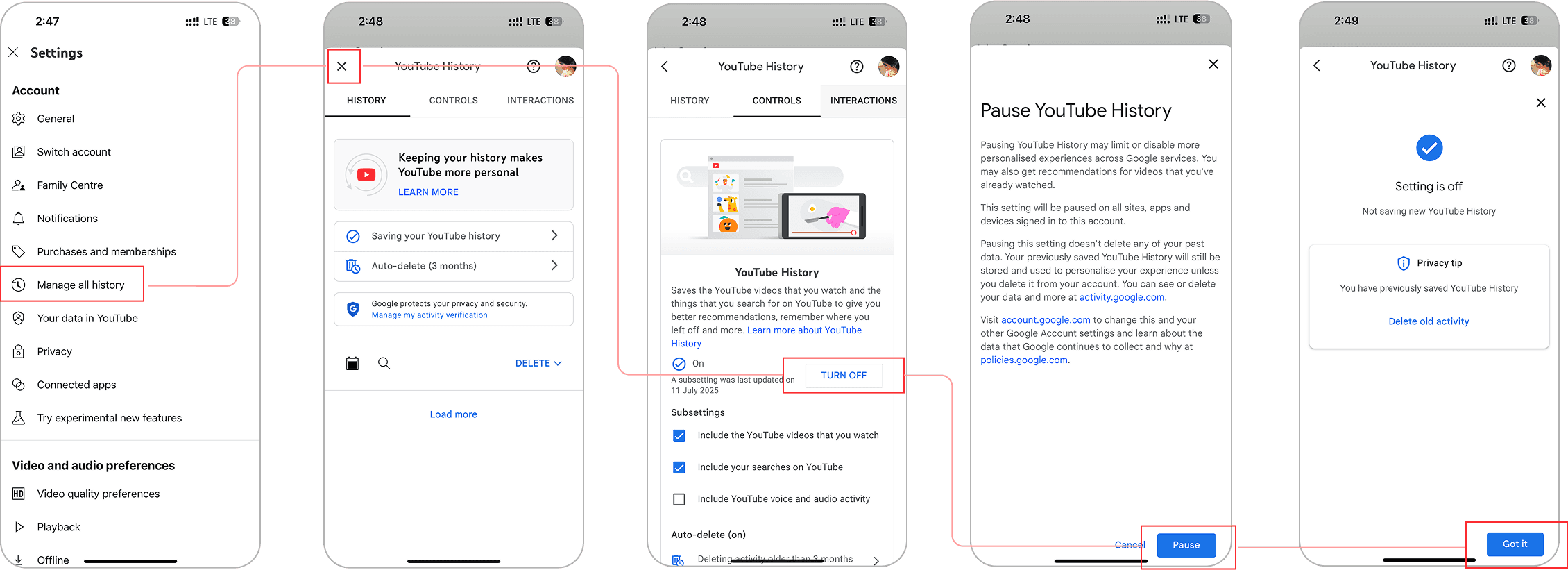
Current Version
“Pause Watch History” isn’t broken, it’s just invisible.It lives four layers deep in the settings.
Settings
Manage All History
Saving History
Turn off
Information
Confirm
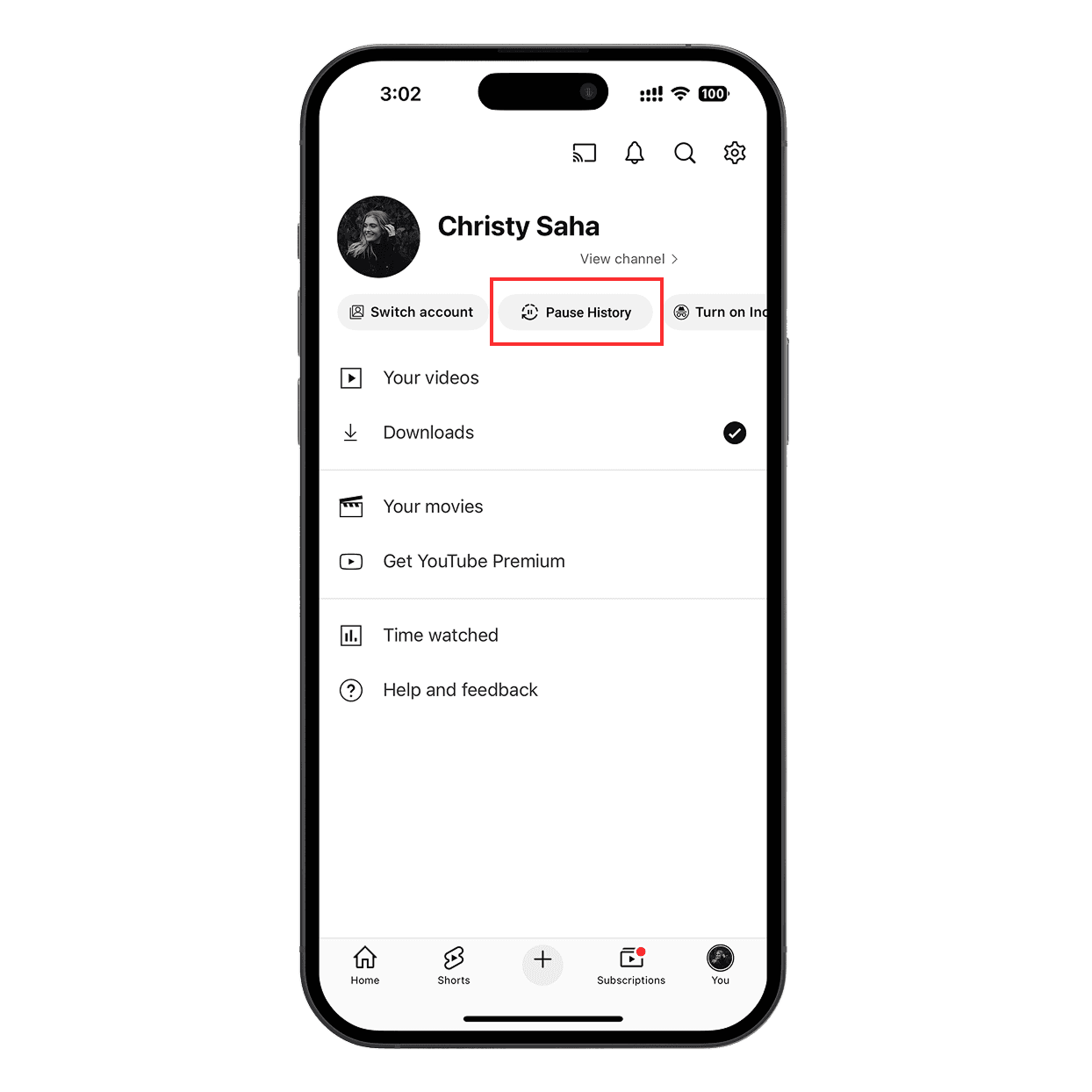
Redesigned Version
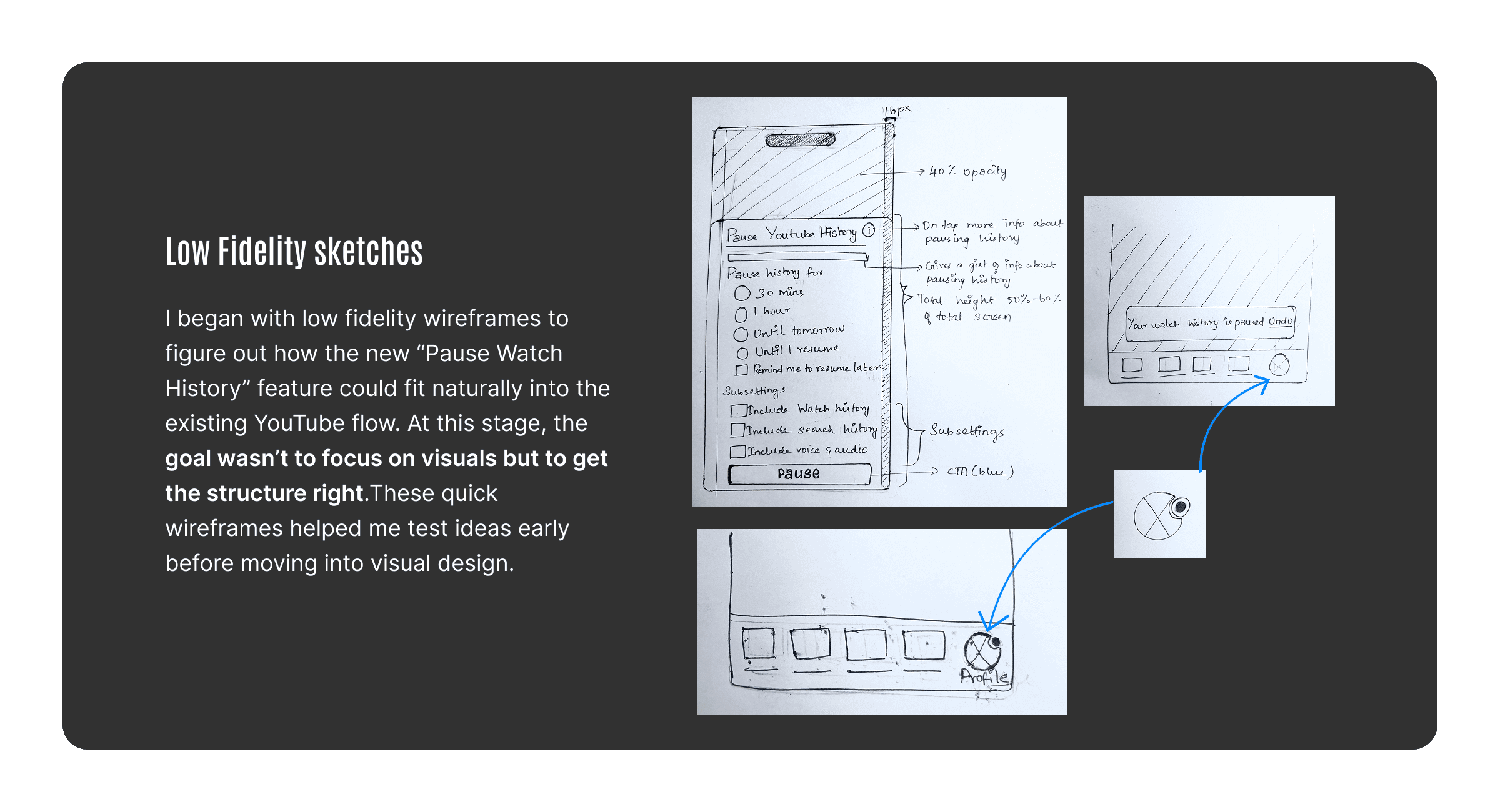
I placed it right under profile menu, giving users a clear visual cue without interrupting their experience.
A Tiny Dot That Says A Lot
One of the biggest problems with the Pause History feature is that you never really know if it’s on. To fix that, I added a tiny red dot near the profile icon just like the one you see for new notifications. That way, you know at a glance that your history is paused no second guessing, no confusion.

You Decide How Long To Pause
Instead of just an on/off toggle, users can now choose how long they want to pause their history for 30 minutes, 1 hour, until tomorrow, or manually resume whenever they’re ready. This makes the feature flexible and way more usable in real life situations, like lending your phone for a short time or watching something personal without long term effects.
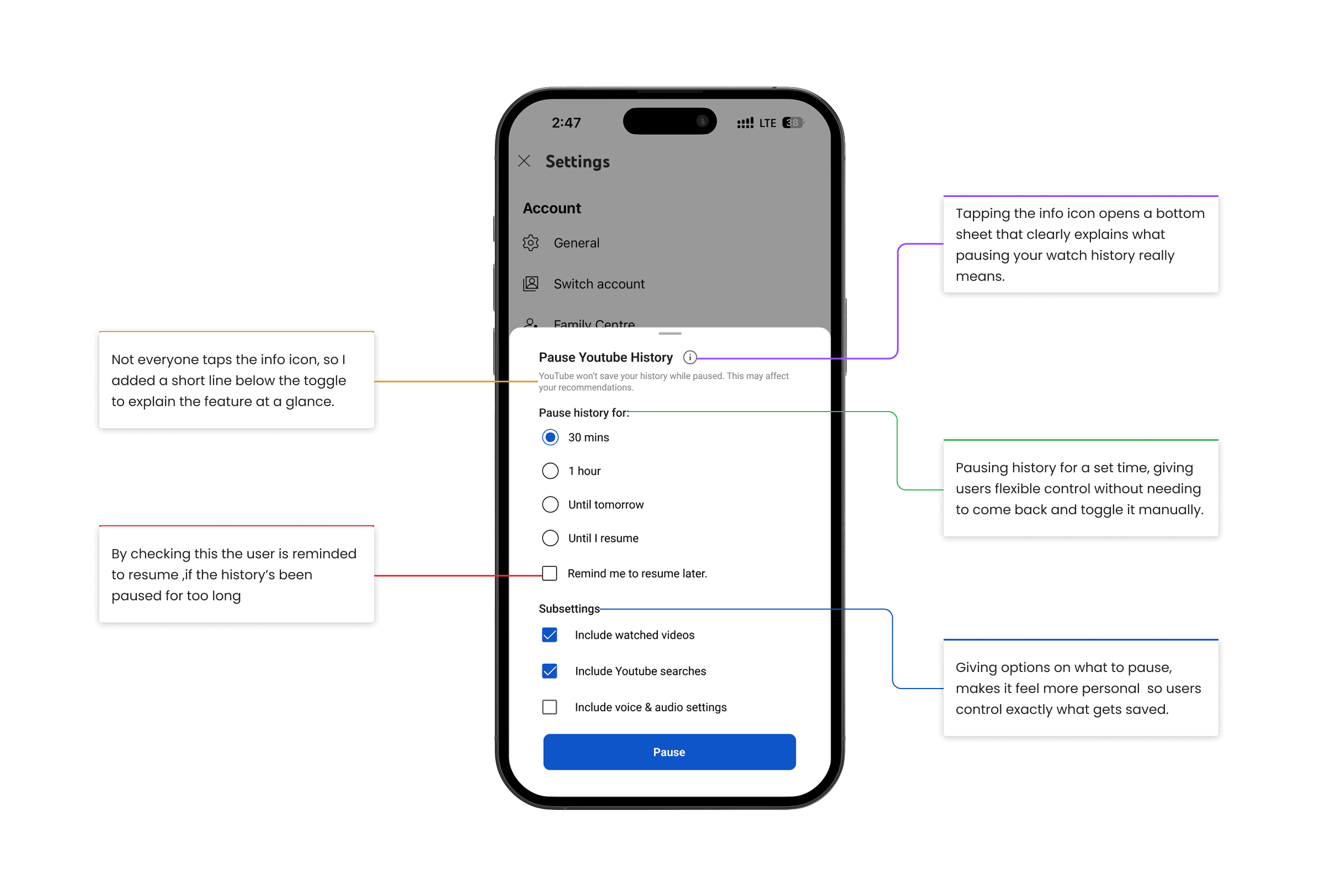
A Friendly Reminder
If watch history is paused too long, a popup gives a light reminder to turn it back on.
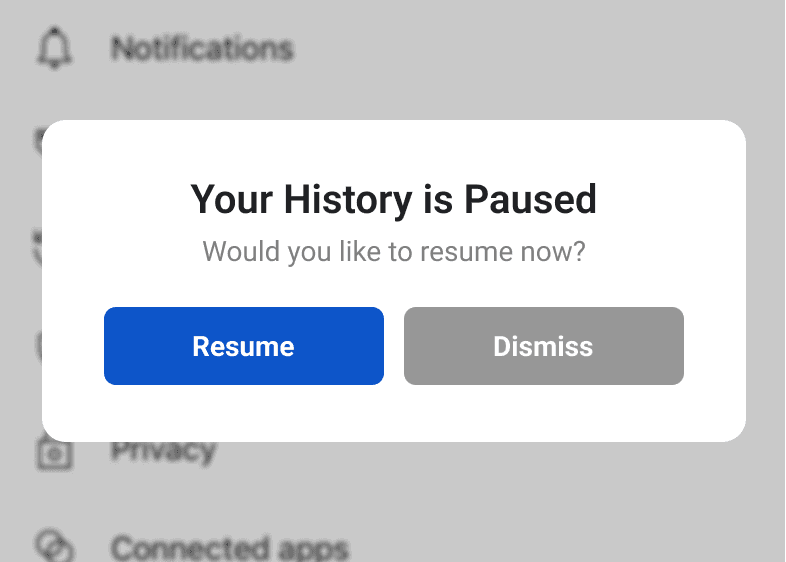
Pause Confirmation
In the old version, pausing history took users to a separate confirmation page adding an extra step just to get back to watching. Now, a simple bottom toast confirms it s paused right away, so users stay on the same screen and keep browsing without interruption.
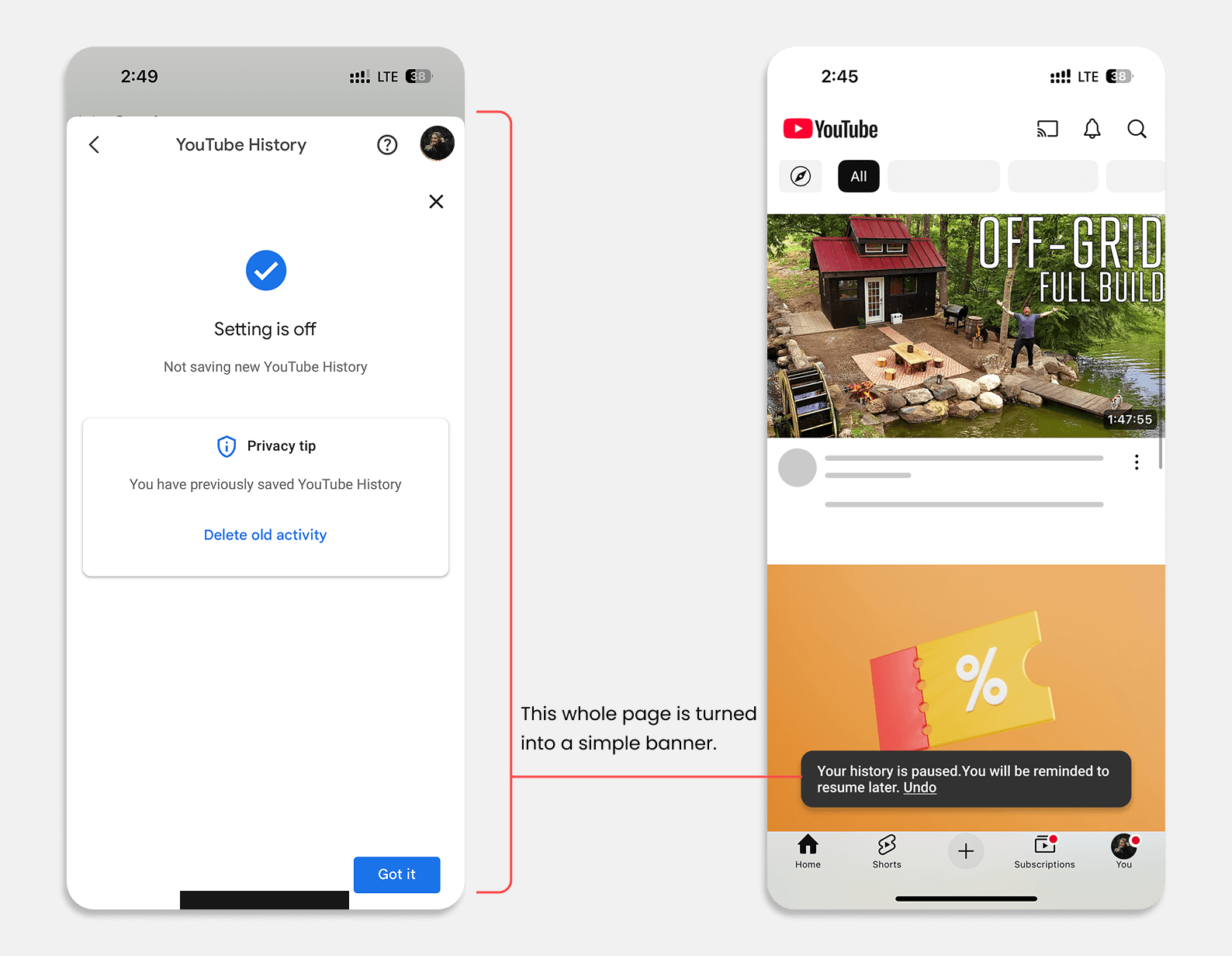
Oops? Just Undo It
If users paused history by mistake, they don’t have to dig back through settings to undo it. Now, an Undo option appears right after you pause so if you change your mind, you can reverse it instantly without leaving the screen.
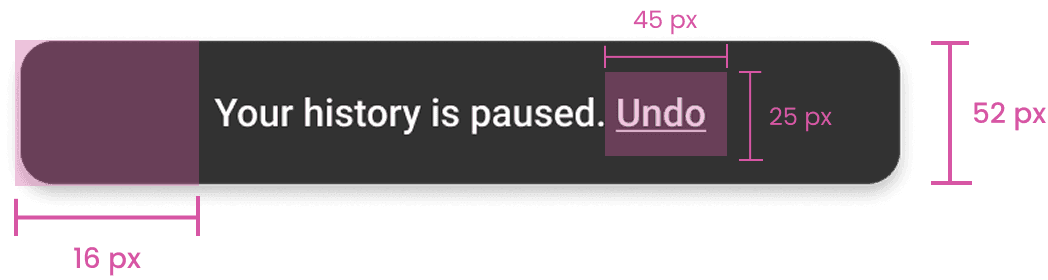
Confirmation Message
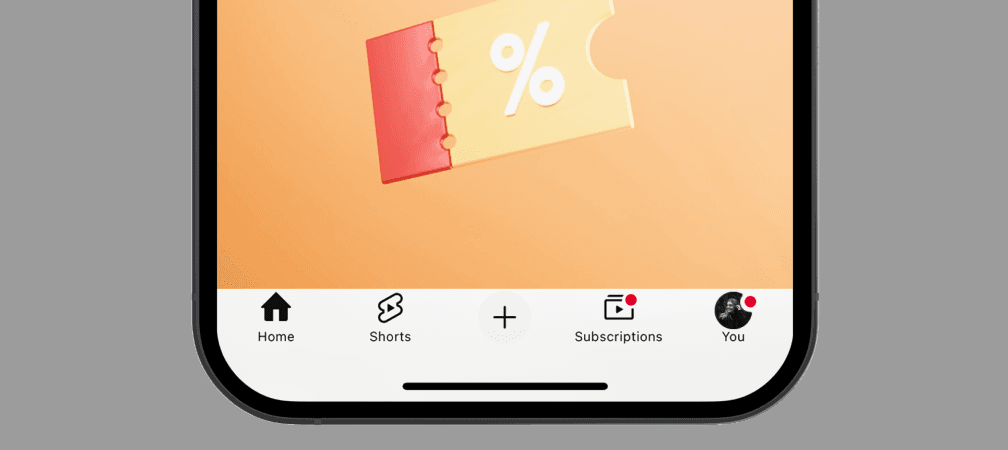
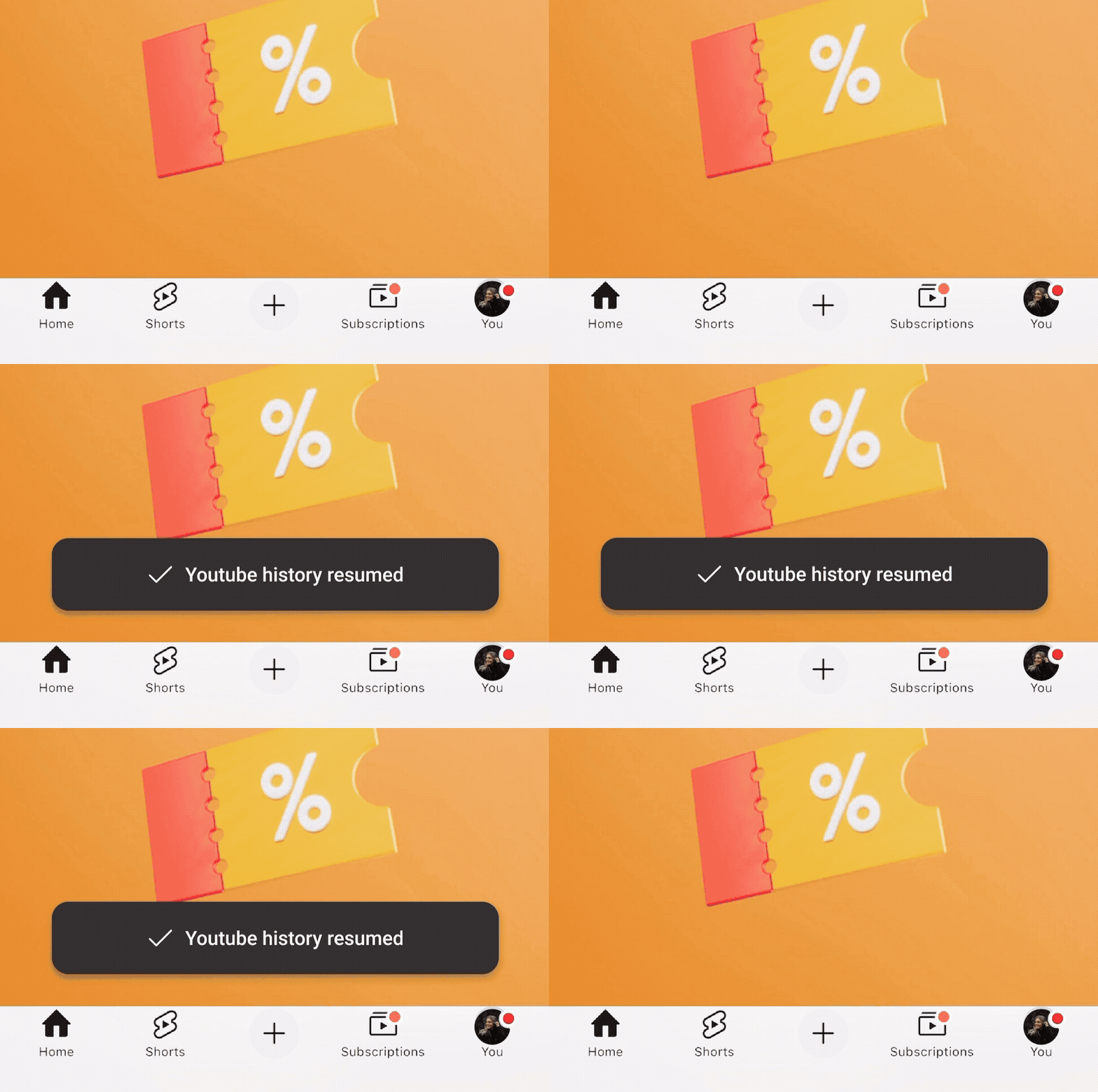
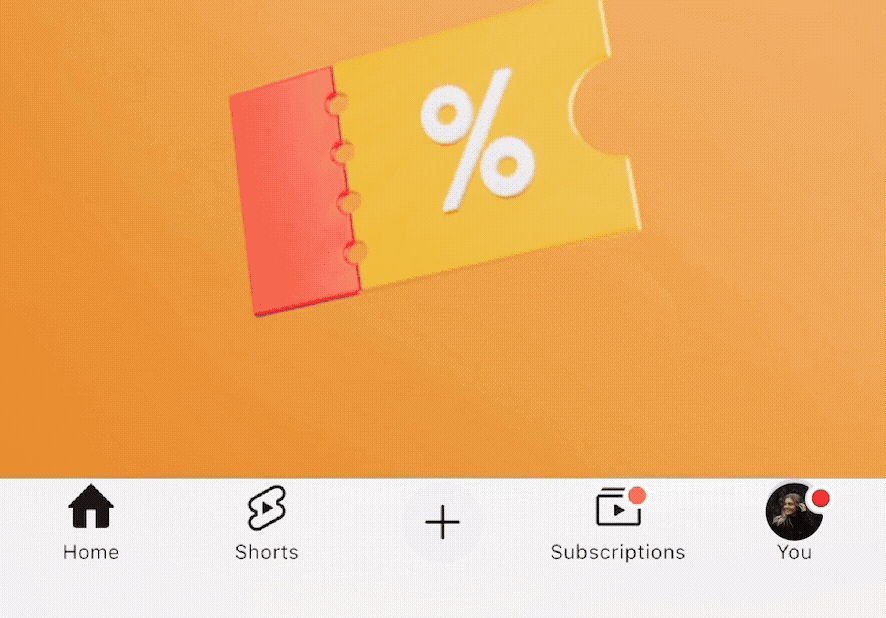
Users get a little heads up when your watch history resumes, so they are never left wondering.
What This Redesign Really Solved
This redesign didn’t just improve a hidden setting , it gave users clarity, control, and confidence. It made “Pause History” feel like a useful feature, not a forgotten toggle.
By adding visibility, session control, and friendly reminders, it helped users avoid recommendation chaos, manage shared devices, and make intentional choices about what YouTube remembers. In short, it turned an invisible feature into an active part of the experience, one that supports privacy.
This redesign didn’t just improve a hidden setting , it gave users clarity, control, and confidence. It made “Pause History” feel like a useful feature, not a forgotten toggle.
By adding visibility, session control, and friendly reminders, it helped users avoid recommendation chaos, manage shared devices, and make intentional choices about what YouTube remembers. In short, it turned an invisible feature into an active part of the experience, one that supports privacy.
Usability Testing
Usability tests were conducted with 10 participants to compare the original and redesigned flows.
In the redesigned version
All participants clearly understood its function
Users appreciated added tooltips, reminders, and the simpler placement
90% found the feature within 20 seconds
In the existing version
Struggled to locate the feature
Often navigating through multiple menus before giving up.
Had to struggle through multiple steps just to get back to the homepage after pausing.
Key Takeaways
This project made me realize that a feature doesn’t need to be broken to be frustrating,sometimes it’s just too hidden to be useful. Redesigning it made the experience feels more natural and in tune with how people actually use YouTube. It’s a small change, but one that puts users first and that’s what thoughtful UX is really about.
More Projects
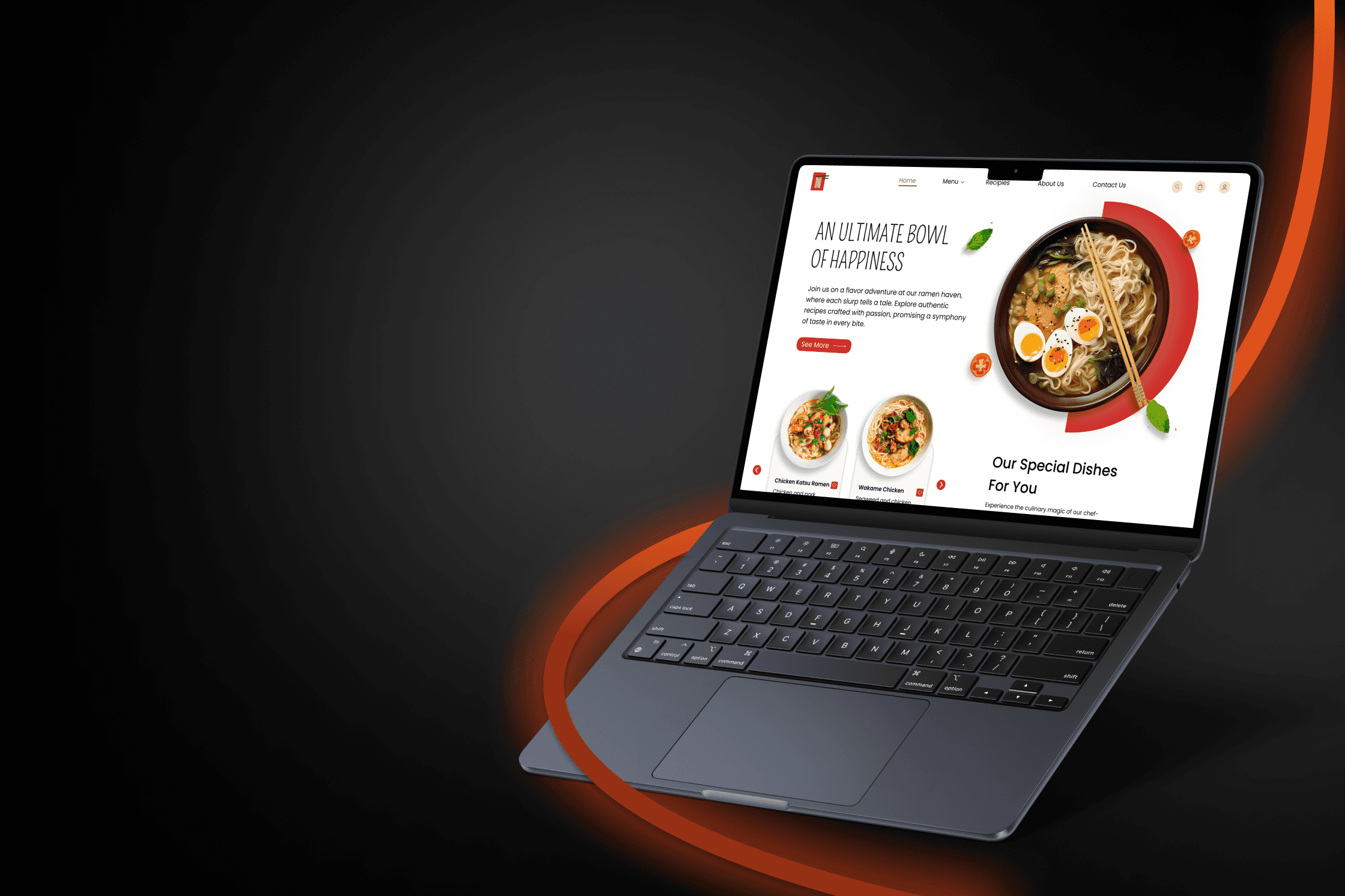
UI/UX Design
NOODLENEST-AN ASIAN RESTAURANT
Designed NoodleNest to feel like a fresh take on tradition,where every pixel adds flavor, balance, and a sense of quiet confidence.
UI/UX Design
NETFLIX'S EMOTIONAL CONNECTION
A quick look at how Netflix uses emotional design to connect, engage, and keep you watching.
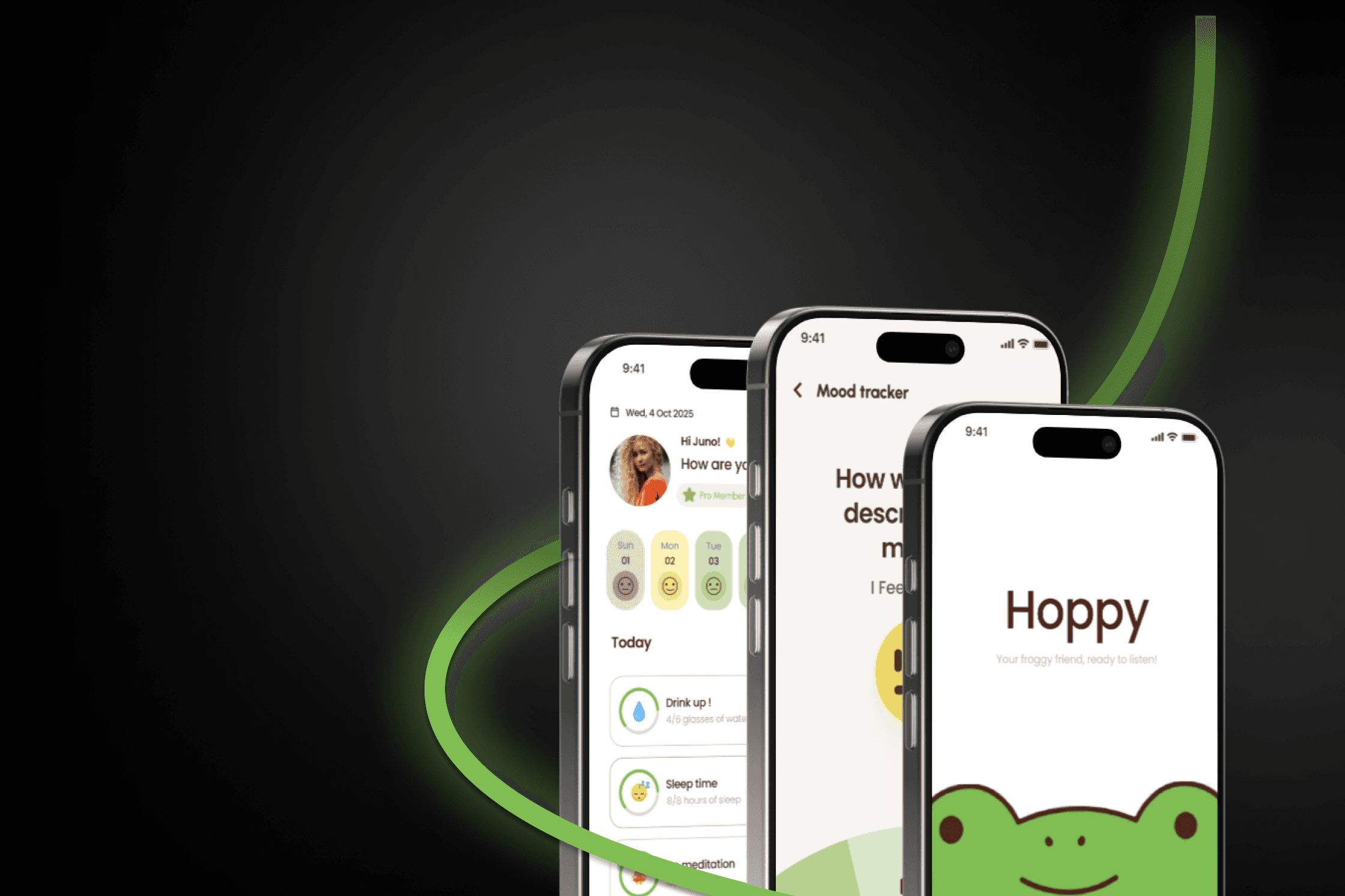
UI/UX Design
hoppy-a mental health app
Hoppy is a feel good mental health app that makes self care simple, playful, and human,with journaling, tracking, and a friendly frog by your side for a chat.
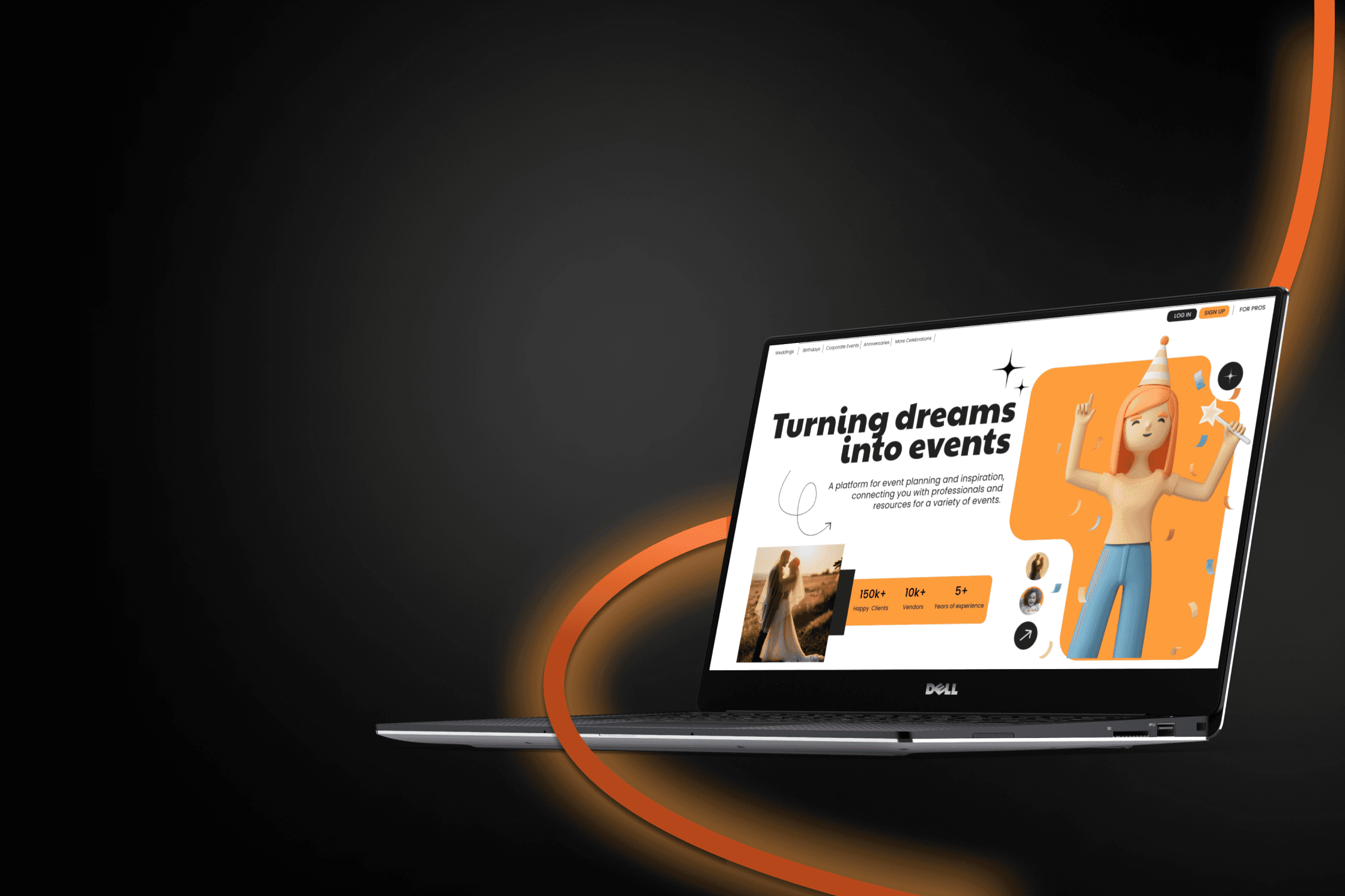
UI/UX Design
plannext-an event planning website
Plannext is your smart companion for seamless event planning, task tracking, and staying ahead effortlessly.
UI / UX Design
redesigning youtube pause history
Redesigned the “Pause History” feature on YouTube to enhance user control,focused on making it easier to find, simplifying the interaction, and adding a more thoughtful, privacy friendly touch.
Year :
2025
Industry :
Tech
Project Duration :
1 week
Ever wondered if you could pause your YouTube history… just for a bit?
Most of the time you don’t want to delete their history.You just want a quick break maybe you’re watching something off topic, something personal, or just plain weird.
Now suddenly, your recommendations are a mess.
All you needed was a simple way to pause your watch history not wipe it out completely. But that feature? It’s hidden so deep in the settings that most people never even realize it’s there.
So I took a closer look at this problem and asked:
“What if pausing your watch history felt as easy and natural as watching a video?”
“What if pausing your watch history felt as easy and natural as watching a video?”
Why redesign it?
It all started when I played a few nursery rhymes for my niece and suddenly, my YouTube feed was taken over by kids’ content. So the next time I gave her my phone, I tried pausing my watch history first. But the option was buried so deep in settings that she had already started watching. That’s when I realized how hidden and clunky the feature was. I decided to redesign it to make it easier to find and simpler for anyone to use in seconds.
Research Methods Followed In This Project
Personal Interview
I asked my friends and family who practically live on YouTube. Most had no idea the pause history feature even existed or found it too hidden to bother. That’s when I realized it wasn’t just my problem, it was a common pain point worth fixing.
Contextual Inquiry
I watched a few users use YouTube naturally and asked light questions along the way. One user found it too long and frustrating to return to the homepage after pausing history because of all the steps involved.
Personal Interview
I quietly observed how users browsed YouTube to spot real habits and struggles without interfering. One user, for instance, was watching videos for a friend but had no idea how to pause watch history the option was just too buried. Others paused it once but forgot to turn it back on for days. These moments of friction, confusion, or forgetfulness helped me see exactly what needed to be fixed in the redesign.
What wasn’t working?
These insights came from a questionnaire shared with 15 respondents, aged 15 to 60. The goal was to understand awareness, assumptions, and needs around the "Pause Watch History" feature.
Users couldn’t tell when history was paused
Users couldn’t tell when history was paused
Users couldn’t tell when history was paused
No way to choose how long to pause
No way to choose how long to pause
No way to choose how long to pause
No alert to resume when the time is right
No alert to resume when the time is right
No alert to resume when the time is right
No confirmation after hitting pause
No confirmation after hitting pause
No confirmation after hitting pause
Why redesign it?
Why not just use Ingognito?
When you go Incognito, youre signed out, lose access to personalized recommendations, and can t like, comment, or save videos. But with Pause History, youre still logged in you can continue interacting normally, while simply telling YouTube not to remember what youre watching.
Didn’t know the feature existed
Tried but couldn’t find it easily
Feared it might delete history permanently
Didn’t see any reason to use it
Felt it was too disconnected from the video watching experience
These insights came from a questionnaire shared with 15 respondents, aged 15 to 60. The goal was to understand awareness, assumptions, and needs around the "Pause Watch History" feature.
A staggering 40% of users had never even heard of the feature revealing just how hidden and overlooked it really is.
"I paused my history once, but there was no confirmation. I forgot it was still off and my recommendations got all weird."
"I’ve used YouTube for years and never even knew this feature existed. It’s way too hidden."
"I’ve used YouTube for years and never even knew this feature existed. It’s way too hidden."
Why is something this useful not being used more?
What I found through research was that while YouTube technically does explain the feature, the way it’s presented is easy to overlook. The description sits deep in the settings, where most users don’t even think to look.
Its purpose just isn’t obvious in context. And because it’s not seen as an immediate need, most people ignore it even though it could be genuinely helpful in day to day use. The feature works, sure but it lacks the flexibility and clarity that would make people use it more often.
Userflow
This flow highlights how users can pause and resume directly from a visible toggle without diving into deep settings, while still preserving the original control path for those who prefer it.
What i did and why?
No more hide and seek
Current Version
“Pause Watch History” isn’t broken, it’s just invisible.It lives four layers deep in the settings.
Settings
Manage All History
Saving History
Turn off
Information
Confirm
Redesigned Version
I placed it right under profile menu, giving users a clear visual cue without interrupting their experience.
A Tiny Dot That Says A Lot
One of the biggest problems with the Pause History feature is that you never really know if it’s on. To fix that, I added a tiny red dot near the profile icon just like the one you see for new notifications. That way, you know at a glance that your history is paused no second guessing, no confusion.
You Decide How Long To Pause
Instead of just an on/off toggle, users can now choose how long they want to pause their history for 30 minutes, 1 hour, until tomorrow, or manually resume whenever they’re ready. This makes the feature flexible and way more usable in real life situations, like lending your phone for a short time or watching something personal without long term effects.
A Friendly Reminder
If watch history is paused too long, a popup gives a light reminder to turn it back on.
Pause Confirmation
In the old version, pausing history took users to a separate confirmation page adding an extra step just to get back to watching. Now, a simple bottom toast confirms it s paused right away, so users stay on the same screen and keep browsing without interruption.
Oops? Just Undo It
If users paused history by mistake, they don’t have to dig back through settings to undo it. Now, an Undo option appears right after you pause so if you change your mind, you can reverse it instantly without leaving the screen.
Confirmation Message
Users get a little heads up when your watch history resumes, so they are never left wondering.
What This Redesign Really Solved
This redesign didn’t just improve a hidden setting , it gave users clarity, control, and confidence. It made “Pause History” feel like a useful feature, not a forgotten toggle.
By adding visibility, session control, and friendly reminders, it helped users avoid recommendation chaos, manage shared devices, and make intentional choices about what YouTube remembers. In short, it turned an invisible feature into an active part of the experience, one that supports privacy.
This redesign didn’t just improve a hidden setting , it gave users clarity, control, and confidence. It made “Pause History” feel like a useful feature, not a forgotten toggle.
By adding visibility, session control, and friendly reminders, it helped users avoid recommendation chaos, manage shared devices, and make intentional choices about what YouTube remembers. In short, it turned an invisible feature into an active part of the experience, one that supports privacy.
Usability Testing
Usability tests were conducted with 10 participants to compare the original and redesigned flows.
In the redesigned version
All participants clearly understood its function
Users appreciated added tooltips, reminders, and the simpler placement
90% found the feature within 20 seconds
In the existing version
Struggled to locate the feature
Often navigating through multiple menus before giving up.
Had to struggle through multiple steps just to get back to the homepage after pausing.
Key Takeaways
This project made me realize that a feature doesn’t need to be broken to be frustrating,sometimes it’s just too hidden to be useful. Redesigning it made the experience feels more natural and in tune with how people actually use YouTube. It’s a small change, but one that puts users first and that’s what thoughtful UX is really about.
More Projects
UI/UX Design
NOODLENEST-AN ASIAN RESTAURANT
Designed NoodleNest to feel like a fresh take on tradition,where every pixel adds flavor, balance, and a sense of quiet confidence.
UI/UX Design
NETFLIX'S EMOTIONAL CONNECTION
A quick look at how Netflix uses emotional design to connect, engage, and keep you watching.
UI/UX Design
hoppy-a mental health app
Hoppy is a feel good mental health app that makes self care simple, playful, and human,with journaling, tracking, and a friendly frog by your side for a chat.
UI/UX Design
plannext-an event planning website
Plannext is your smart companion for seamless event planning, task tracking, and staying ahead effortlessly.
UI / UX Design
redesigning youtube pause history
Redesigned the “Pause History” feature on YouTube to enhance user control,focused on making it easier to find, simplifying the interaction, and adding a more thoughtful, privacy friendly touch.
Year :
2025
Industry :
Tech
Project Duration :
1 week
Ever wondered if you could pause your YouTube history… just for a bit?
Most of the time you don’t want to delete their history.You just want a quick break maybe you’re watching something off topic, something personal, or just plain weird.
Now suddenly, your recommendations are a mess.
All you needed was a simple way to pause your watch history not wipe it out completely. But that feature? It’s hidden so deep in the settings that most people never even realize it’s there.
So I took a closer look at this problem and asked:
“What if pausing your watch history felt as easy and natural as watching a video?”
“What if pausing your watch history felt as easy and natural as watching a video?”
Why redesign it?
It all started when I played a few nursery rhymes for my niece and suddenly, my YouTube feed was taken over by kids’ content. So the next time I gave her my phone, I tried pausing my watch history first. But the option was buried so deep in settings that she had already started watching. That’s when I realized how hidden and clunky the feature was. I decided to redesign it to make it easier to find and simpler for anyone to use in seconds.
Research Methods Followed In This Project
Personal Interview
I asked my friends and family who practically live on YouTube. Most had no idea the pause history feature even existed or found it too hidden to bother. That’s when I realized it wasn’t just my problem, it was a common pain point worth fixing.
Contextual Inquiry
I watched a few users use YouTube naturally and asked light questions along the way. One user found it too long and frustrating to return to the homepage after pausing history because of all the steps involved.
Personal Interview
I quietly observed how users browsed YouTube to spot real habits and struggles without interfering. One user, for instance, was watching videos for a friend but had no idea how to pause watch history the option was just too buried. Others paused it once but forgot to turn it back on for days. These moments of friction, confusion, or forgetfulness helped me see exactly what needed to be fixed in the redesign.
What wasn’t working?
These insights came from a questionnaire shared with 15 respondents, aged 15 to 60. The goal was to understand awareness, assumptions, and needs around the "Pause Watch History" feature.
Users couldn’t tell when history was paused
Users couldn’t tell when history was paused
Users couldn’t tell when history was paused
No way to choose how long to pause
No way to choose how long to pause
No way to choose how long to pause
No alert to resume when the time is right
No alert to resume when the time is right
No alert to resume when the time is right
No confirmation after hitting pause
No confirmation after hitting pause
No confirmation after hitting pause
Why redesign it?
Why not just use Ingognito?
When you go Incognito, youre signed out, lose access to personalized recommendations, and can t like, comment, or save videos. But with Pause History, youre still logged in you can continue interacting normally, while simply telling YouTube not to remember what youre watching.
Didn’t know the feature existed
Tried but couldn’t find it easily
Feared it might delete history permanently
Didn’t see any reason to use it
Felt it was too disconnected from the video watching experience
These insights came from a questionnaire shared with 15 respondents, aged 15 to 60. The goal was to understand awareness, assumptions, and needs around the "Pause Watch History" feature.
A staggering 40% of users had never even heard of the feature revealing just how hidden and overlooked it really is.
"I paused my history once, but there was no confirmation. I forgot it was still off and my recommendations got all weird."
"I’ve used YouTube for years and never even knew this feature existed. It’s way too hidden."
"I’ve used YouTube for years and never even knew this feature existed. It’s way too hidden."
Why is something this useful not being used more?
What I found through research was that while YouTube technically does explain the feature, the way it’s presented is easy to overlook. The description sits deep in the settings, where most users don’t even think to look.
Its purpose just isn’t obvious in context. And because it’s not seen as an immediate need, most people ignore it even though it could be genuinely helpful in day to day use. The feature works, sure but it lacks the flexibility and clarity that would make people use it more often.
Userflow
This flow highlights how users can pause and resume directly from a visible toggle without diving into deep settings, while still preserving the original control path for those who prefer it.
What i did and why?
No more hide and seek
Current Version
“Pause Watch History” isn’t broken, it’s just invisible.It lives four layers deep in the settings.
Settings
Manage All History
Saving History
Turn off
Information
Confirm
Redesigned Version
I placed it right under profile menu, giving users a clear visual cue without interrupting their experience.
A Tiny Dot That Says A Lot
One of the biggest problems with the Pause History feature is that you never really know if it’s on. To fix that, I added a tiny red dot near the profile icon just like the one you see for new notifications. That way, you know at a glance that your history is paused no second guessing, no confusion.
You Decide How Long To Pause
Instead of just an on/off toggle, users can now choose how long they want to pause their history for 30 minutes, 1 hour, until tomorrow, or manually resume whenever they’re ready. This makes the feature flexible and way more usable in real life situations, like lending your phone for a short time or watching something personal without long term effects.
A Friendly Reminder
If watch history is paused too long, a popup gives a light reminder to turn it back on.
Pause Confirmation
In the old version, pausing history took users to a separate confirmation page adding an extra step just to get back to watching. Now, a simple bottom toast confirms it s paused right away, so users stay on the same screen and keep browsing without interruption.
Oops? Just Undo It
If users paused history by mistake, they don’t have to dig back through settings to undo it. Now, an Undo option appears right after you pause so if you change your mind, you can reverse it instantly without leaving the screen.
Confirmation Message
Users get a little heads up when your watch history resumes, so they are never left wondering.
What This Redesign Really Solved
This redesign didn’t just improve a hidden setting , it gave users clarity, control, and confidence. It made “Pause History” feel like a useful feature, not a forgotten toggle.
By adding visibility, session control, and friendly reminders, it helped users avoid recommendation chaos, manage shared devices, and make intentional choices about what YouTube remembers. In short, it turned an invisible feature into an active part of the experience, one that supports privacy.
This redesign didn’t just improve a hidden setting , it gave users clarity, control, and confidence. It made “Pause History” feel like a useful feature, not a forgotten toggle.
By adding visibility, session control, and friendly reminders, it helped users avoid recommendation chaos, manage shared devices, and make intentional choices about what YouTube remembers. In short, it turned an invisible feature into an active part of the experience, one that supports privacy.
Usability Testing
Usability tests were conducted with 10 participants to compare the original and redesigned flows.
In the redesigned version
All participants clearly understood its function
Users appreciated added tooltips, reminders, and the simpler placement
90% found the feature within 20 seconds
In the existing version
Struggled to locate the feature
Often navigating through multiple menus before giving up.
Had to struggle through multiple steps just to get back to the homepage after pausing.
Key Takeaways
This project made me realize that a feature doesn’t need to be broken to be frustrating,sometimes it’s just too hidden to be useful. Redesigning it made the experience feels more natural and in tune with how people actually use YouTube. It’s a small change, but one that puts users first and that’s what thoughtful UX is really about.
More Projects
UI/UX Design
NOODLENEST-AN ASIAN RESTAURANT
Designed NoodleNest to feel like a fresh take on tradition,where every pixel adds flavor, balance, and a sense of quiet confidence.
UI/UX Design
NETFLIX'S EMOTIONAL CONNECTION
A quick look at how Netflix uses emotional design to connect, engage, and keep you watching.
UI/UX Design
hoppy-a mental health app
Hoppy is a feel good mental health app that makes self care simple, playful, and human,with journaling, tracking, and a friendly frog by your side for a chat.
UI/UX Design
plannext-an event planning website
Plannext is your smart companion for seamless event planning, task tracking, and staying ahead effortlessly.